
Weekly timesheets built from logged task time
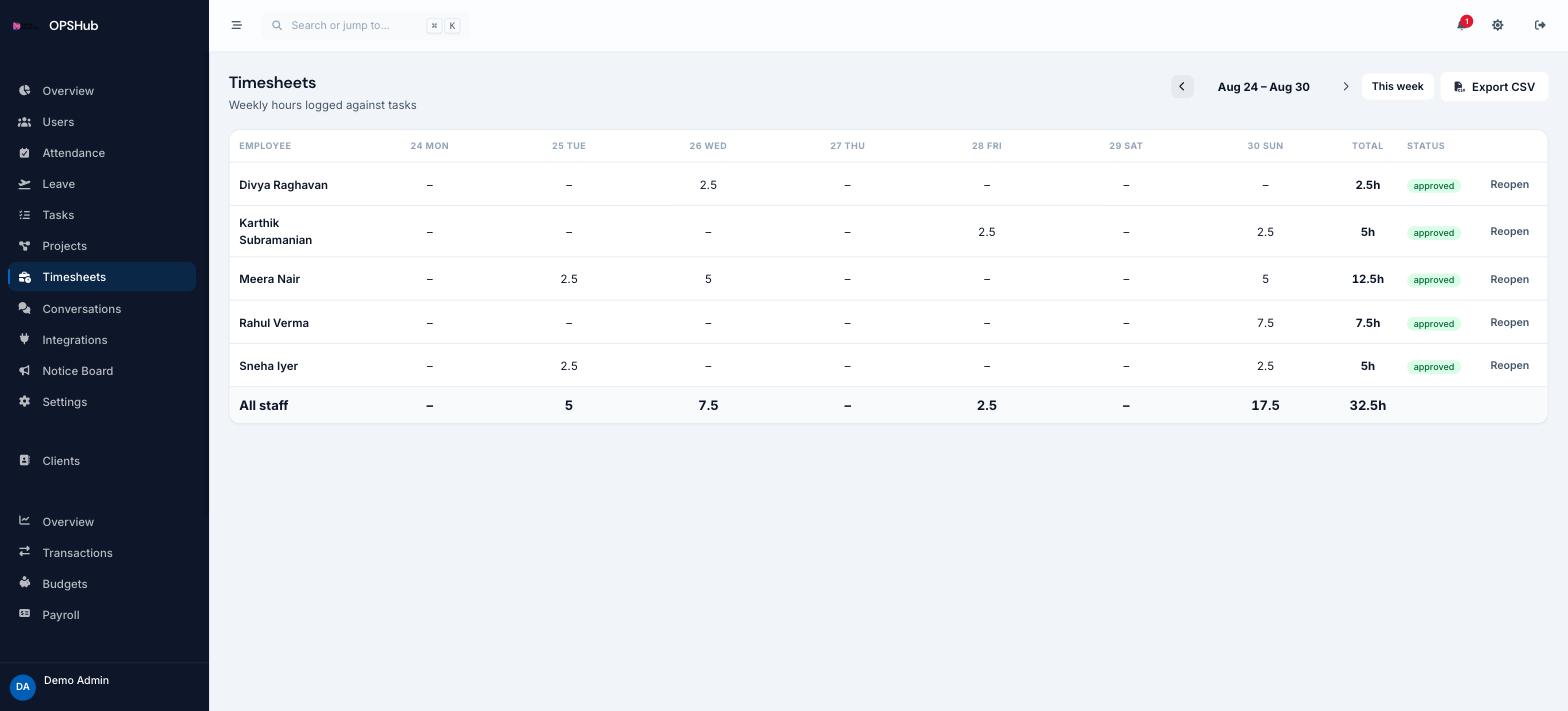
Timesheets are not a separate form to fill in. They are the roll-up of hours already logged against tasks, presented week by week per employee and exportable when you need to bill or reconcile.
What you get
Every point below is live in OpsHub today. Nothing here is a roadmap item.
- Weekly grid of hours per employee, navigable week by week
- Every hour traceable to the task it was logged against
- CSV export for billing, client reporting or payroll
- Cross-checks against the attendance register for the same period
Questions about timesheets
Do employees fill timesheets in manually?
They log time against the task they are working on. The weekly timesheet is assembled from those entries, so there is no second round of data entry.
Can we export timesheets?
Yes, as CSV for the selected week.
How is this different from attendance?
Attendance answers "were they at work". Timesheets answer "what was the time spent on". Both are in OpsHub and reconcile against each other.
Works with
OpsHub modules share one workspace and one set of records - these are the ones timesheets touches most.
See timesheets on your workflow.
Book a demo and we will map it to how your team already works - or open the live demo workspace right now.