
Appointments with a public booking page
Define what you offer and when you are free, then share one link. Clients book without an account, and the booking lands in the same workspace as the client record and the invoice that follows.
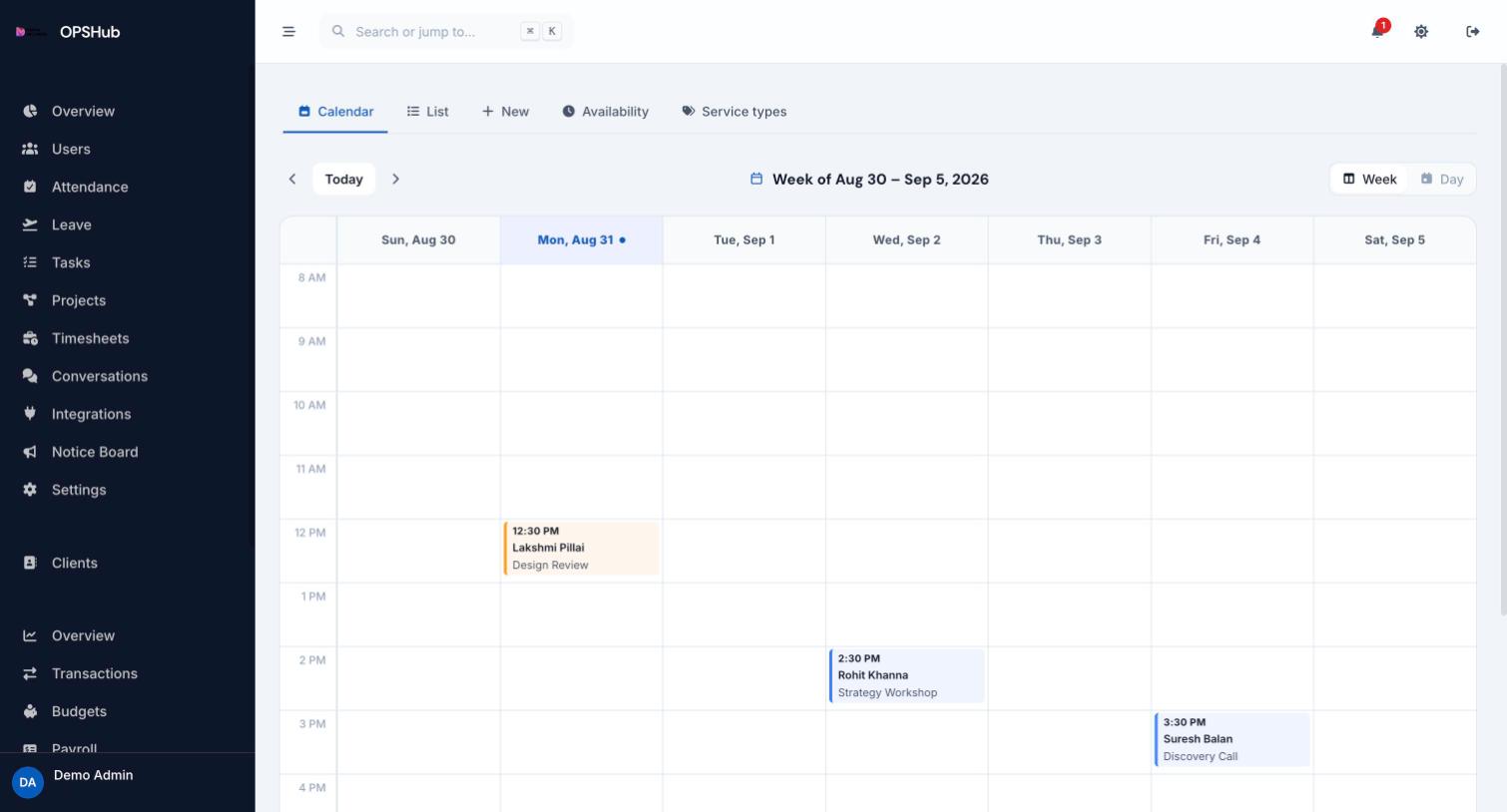
What you get
Every point below is live in OpsHub today. Nothing here is a roadmap item.
- Week and day calendar views, plus a list view of bookings
- Service types with their own durations
- Availability rules controlling what clients can book
- A public booking page needing no login from the client
- Bookings tied to client records so billing follows on
Questions about appointments
Do clients need an account to book?
No. The public booking page is open - clients pick a service type and an available slot without signing in.
Can I control what times are bookable?
Yes. Availability rules and per-service durations decide which slots appear on the public page.
Where do bookings go?
Into the same workspace calendar your team works from, against the client record.
Works with
OpsHub modules share one workspace and one set of records - these are the ones appointments touches most.
See appointments on your workflow.
Book a demo and we will map it to how your team already works - or open the live demo workspace right now.