
Build your own modules without writing code
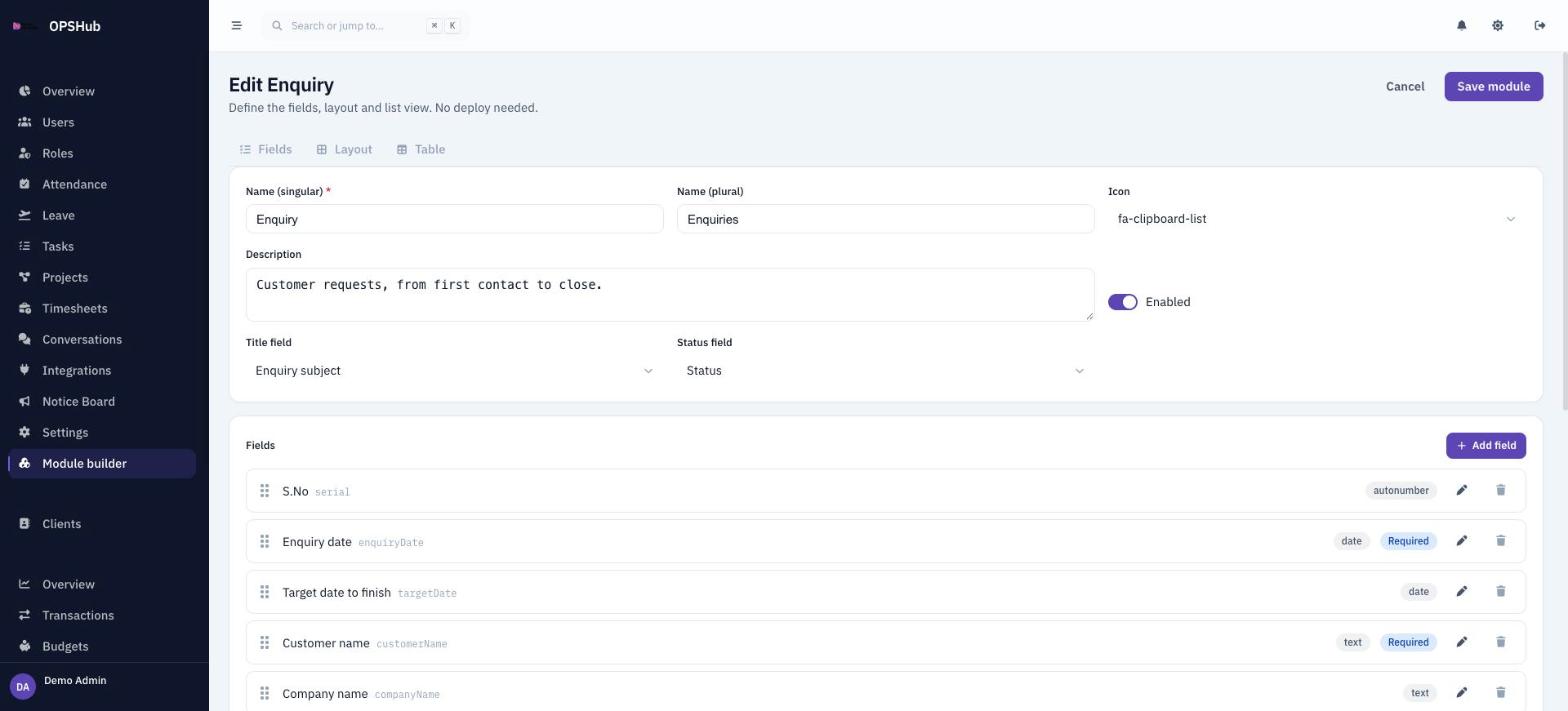
Not everything your team tracks fits a standard module. The module builder lets an admin define a new record type with its own fields, form layout, list columns and status, and it appears in the sidebar for the roles you choose.
What you get
Every point below is live in OpsHub today. Nothing here is a roadmap item.
- 22 field types, from text, number and currency to picklists, user and client lookups, files and auto-numbers
- Show or require a field only when another field has a given value
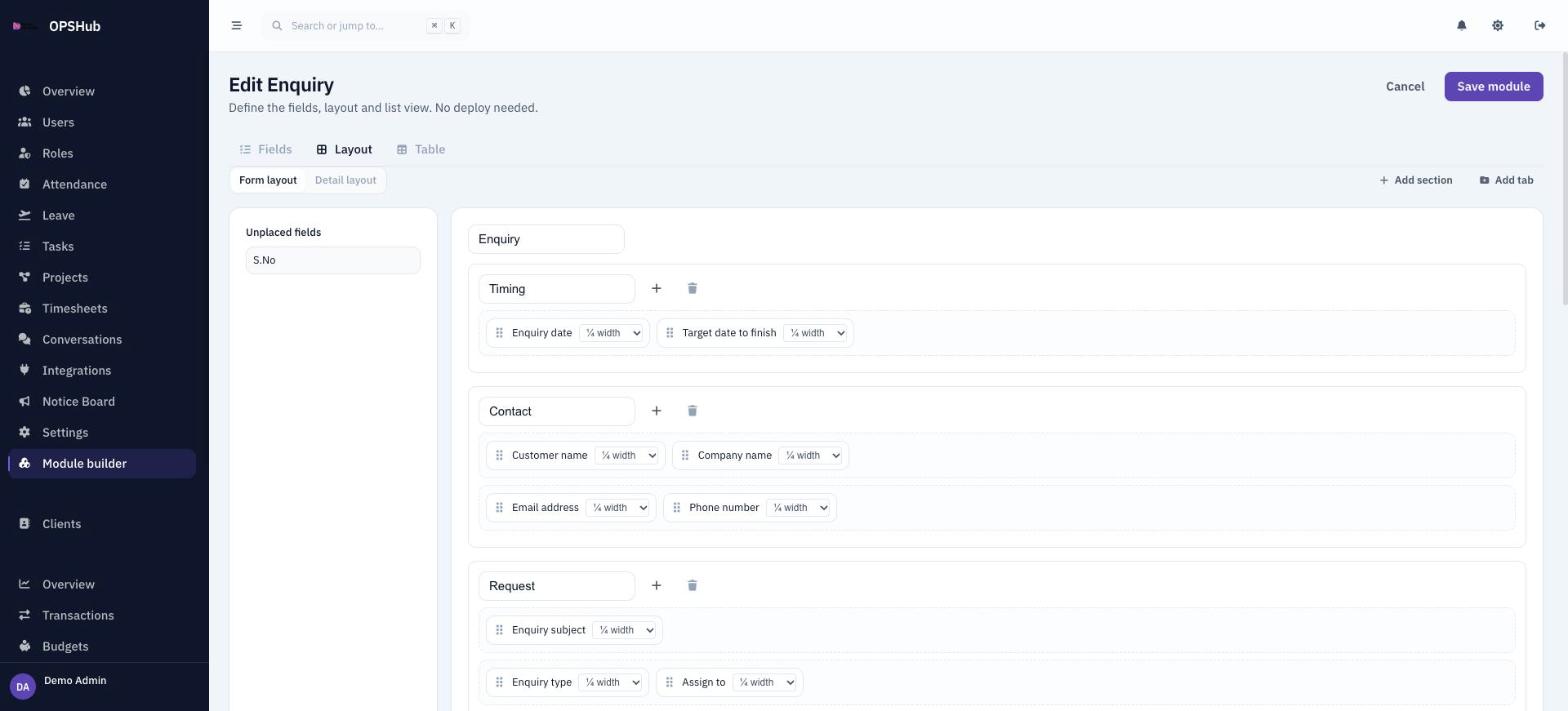
- Drag-and-drop form and detail layouts with tabs, sections and a four-column grid
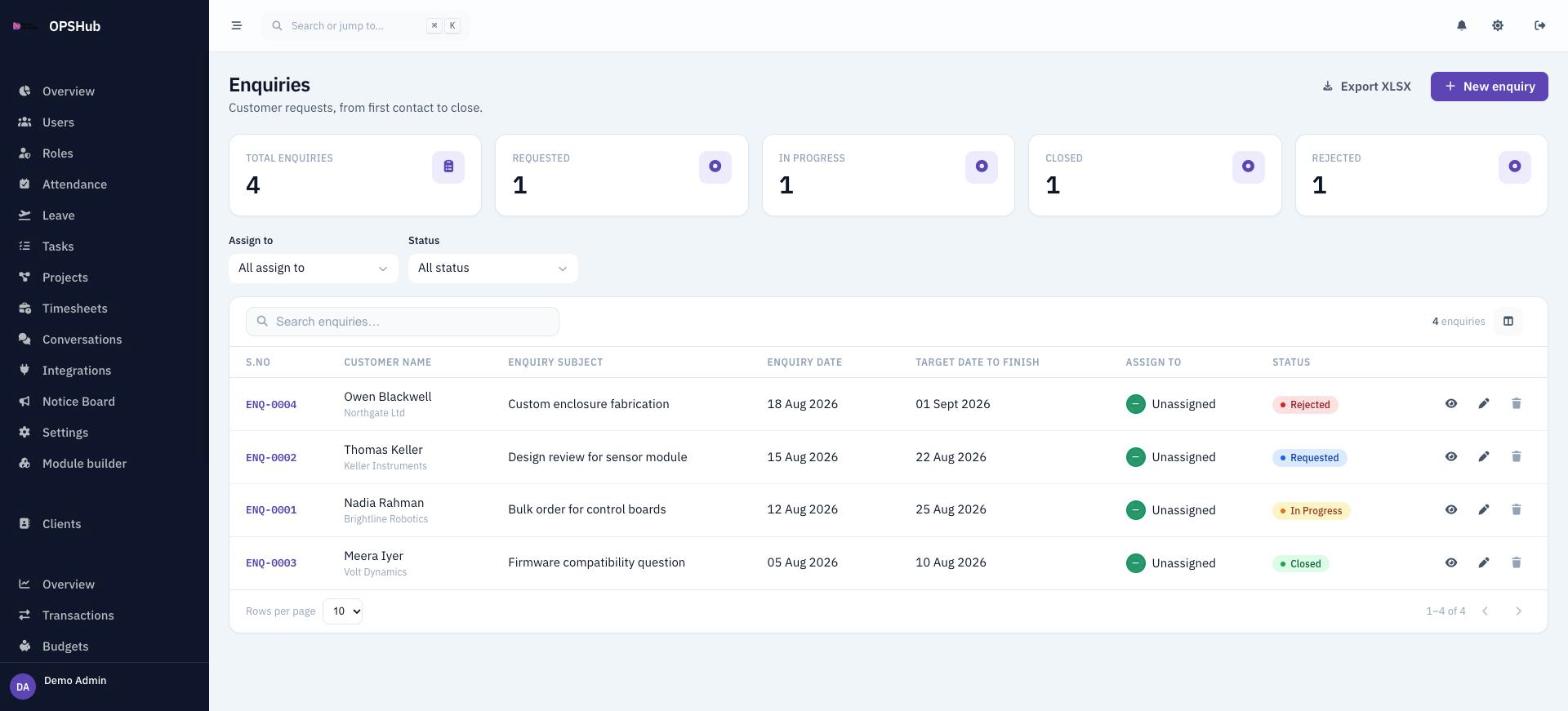
- Choose and order the columns of the record list, with search, filters and a status field
- Export records to Excel (XLSX)
- Access set per module and per role: create, read, update and delete
Questions about module builder
Do I need a developer to add a module?
No. An admin builds the fields and layout in the browser and saves. The module is live straight away, with no deployment.
Can a custom module run workflows or automations?
Not today. A module can have a status field that works as a pipeline with counts and colours, but it does not trigger automations. For sign-off, see Approvals.
Who can see a custom module?
Only the roles you grant. Every custom module gets its own create, read, update and delete row in the roles grid, enforced by the server rules as well as the menu.
Works with
OpsHub modules share one workspace and one set of records - these are the ones module builder touches most.
See module builder on your workflow.
Book a demo and we will map it to how your team already works - or open the live demo workspace right now.