
Roles and permissions that match how your team works
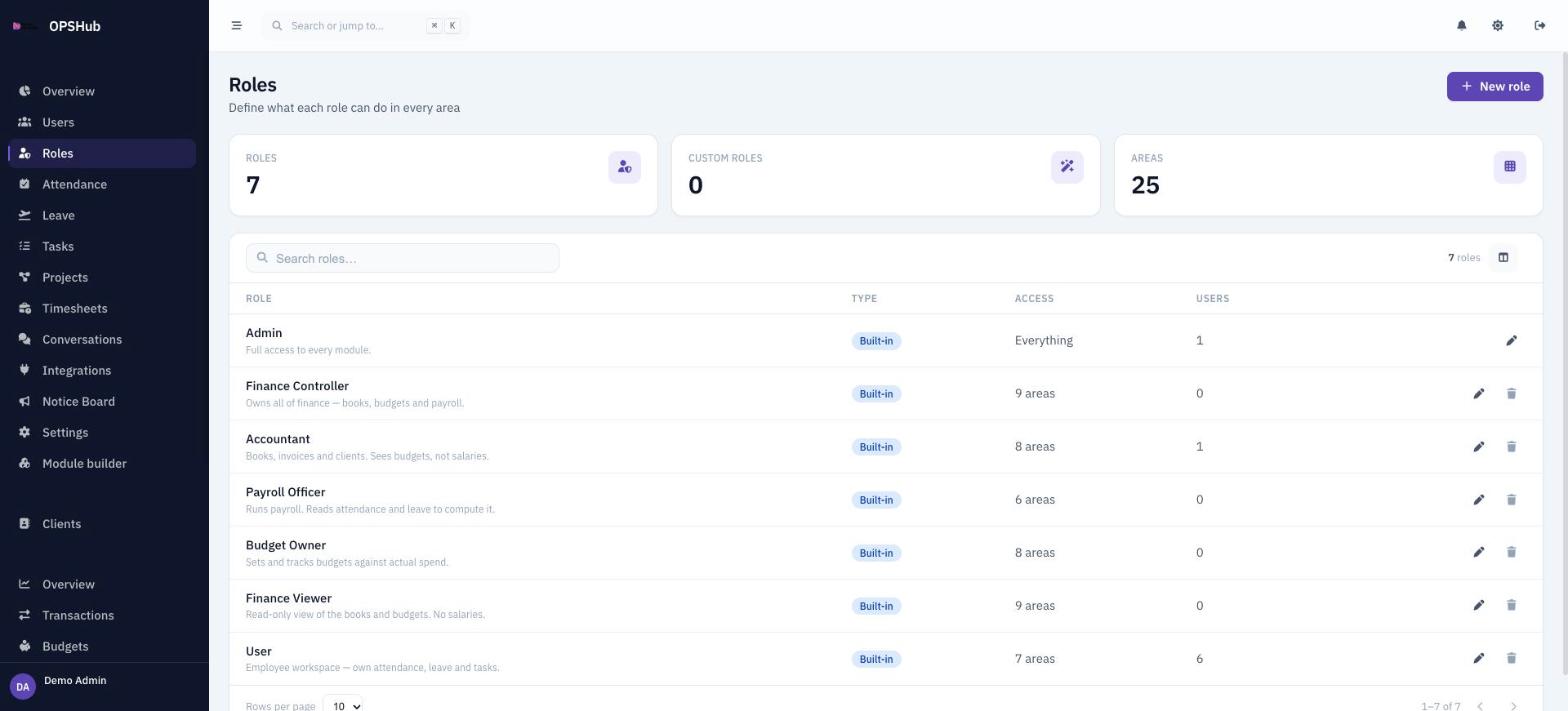
Access should follow the job. OpsHub ships with seven roles and lets an admin build new ones by ticking what each role may create, read, update or delete in every area. Finance is split, so an accountant can see the books without seeing salaries.
What you get
Every point below is live in OpsHub today. Nothing here is a roadmap item.
- Built-in roles: Admin, Finance Controller, Accountant, Payroll Officer, Budget Owner, Finance Viewer and User
- Create your own roles with any name and a short description
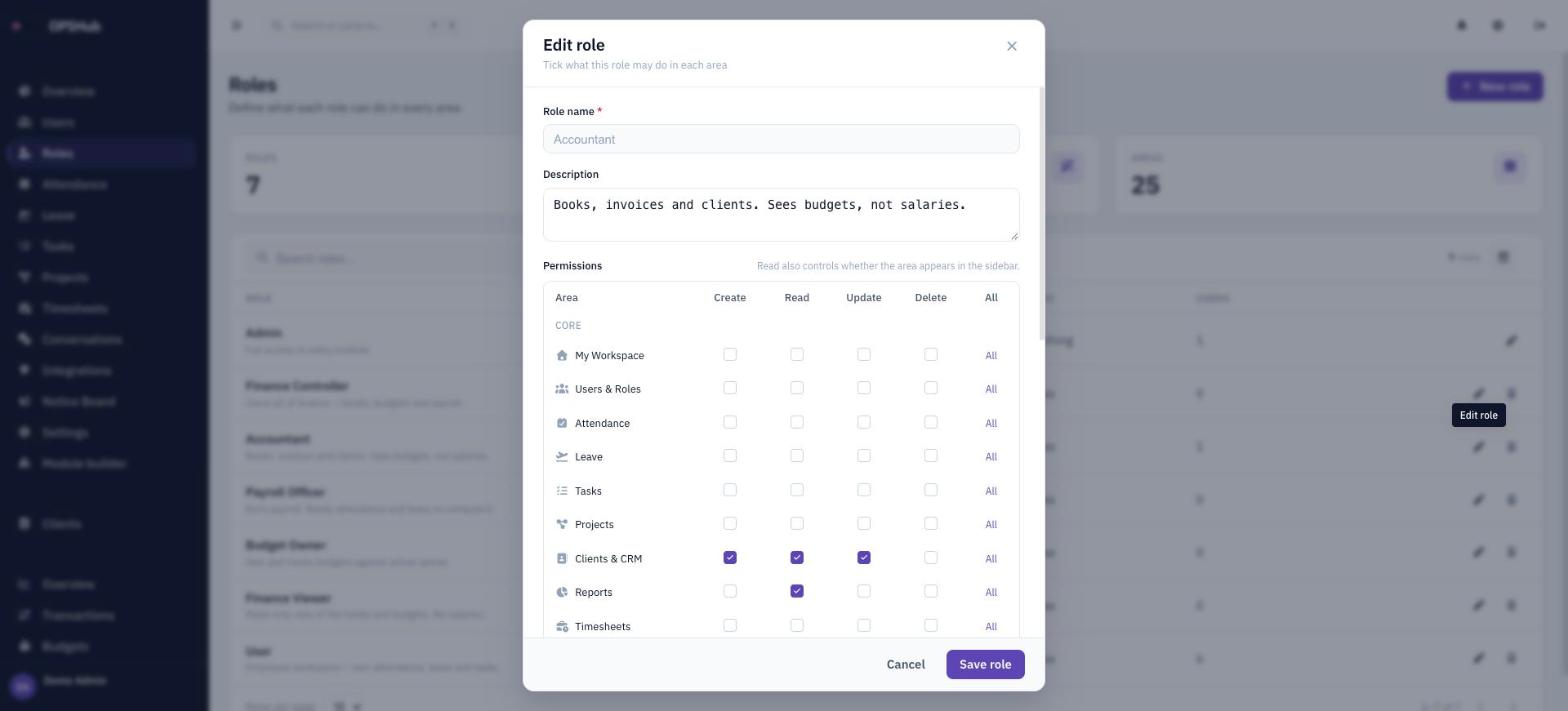
- Create, read, update and delete permissions per module, including every custom module you build
- Finance split into overview, transactions, budgets and payroll, so salaries can stay private
- Read access decides whether an area appears in the sidebar at all
- Enforced by the server (Firestore security rules), not just hidden in the menu
Questions about roles & permissions
Can I edit the built-in roles?
Yes, you can adjust their permissions. The Admin role always has full access and cannot be deleted.
Are custom roles in every plan?
Custom roles are enabled per workspace. Ask us to switch them on for your deployment.
Does a role decide who approves things?
No. Approval authority follows the reporting chain and the rules you set up, not the permission grid. See Approvals.
Works with
OpsHub modules share one workspace and one set of records - these are the ones roles & permissions touches most.
See roles & permissions on your workflow.
Book a demo and we will map it to how your team already works - or open the live demo workspace right now.