
Task management with board, Gantt and time logging
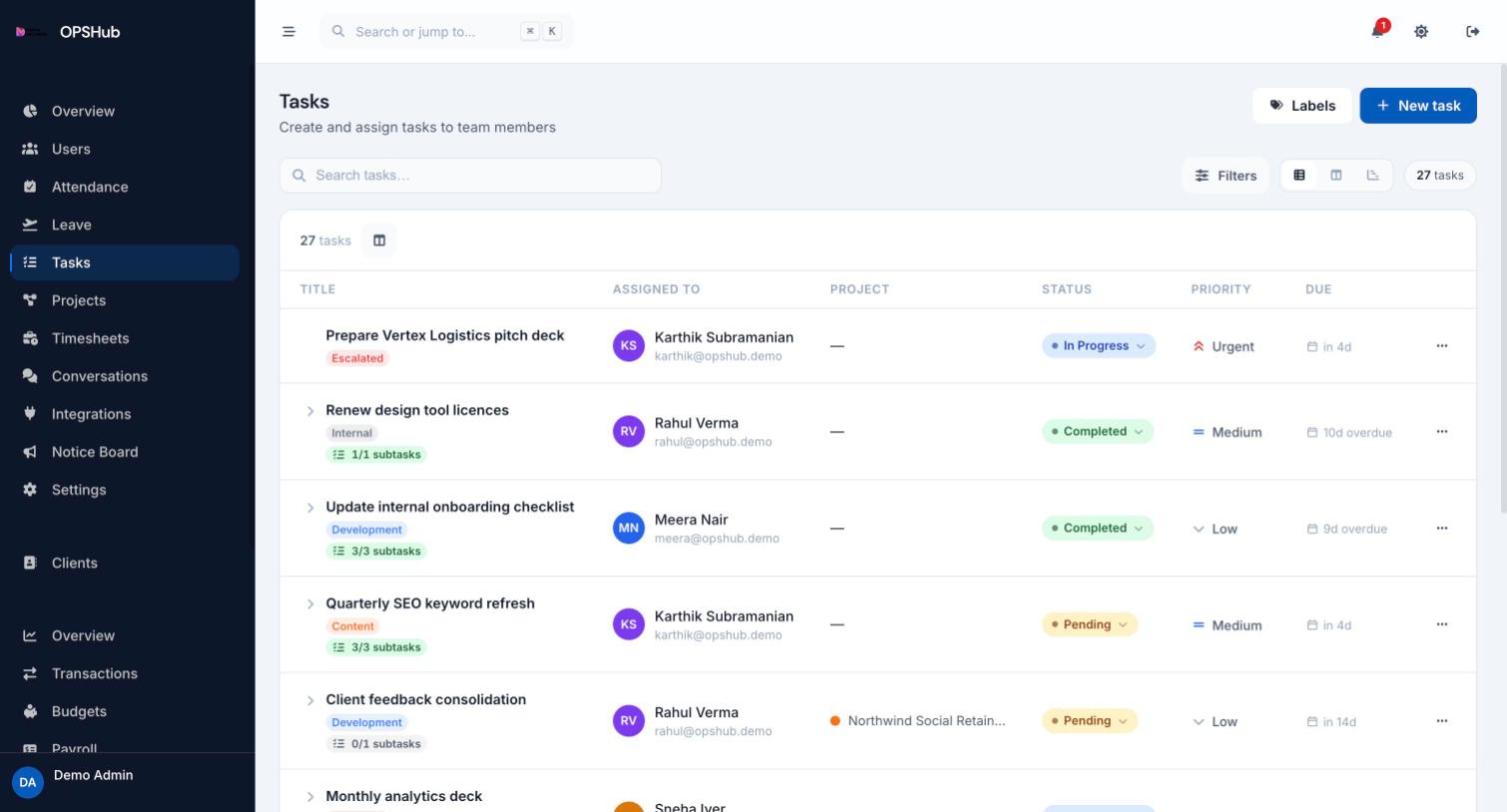
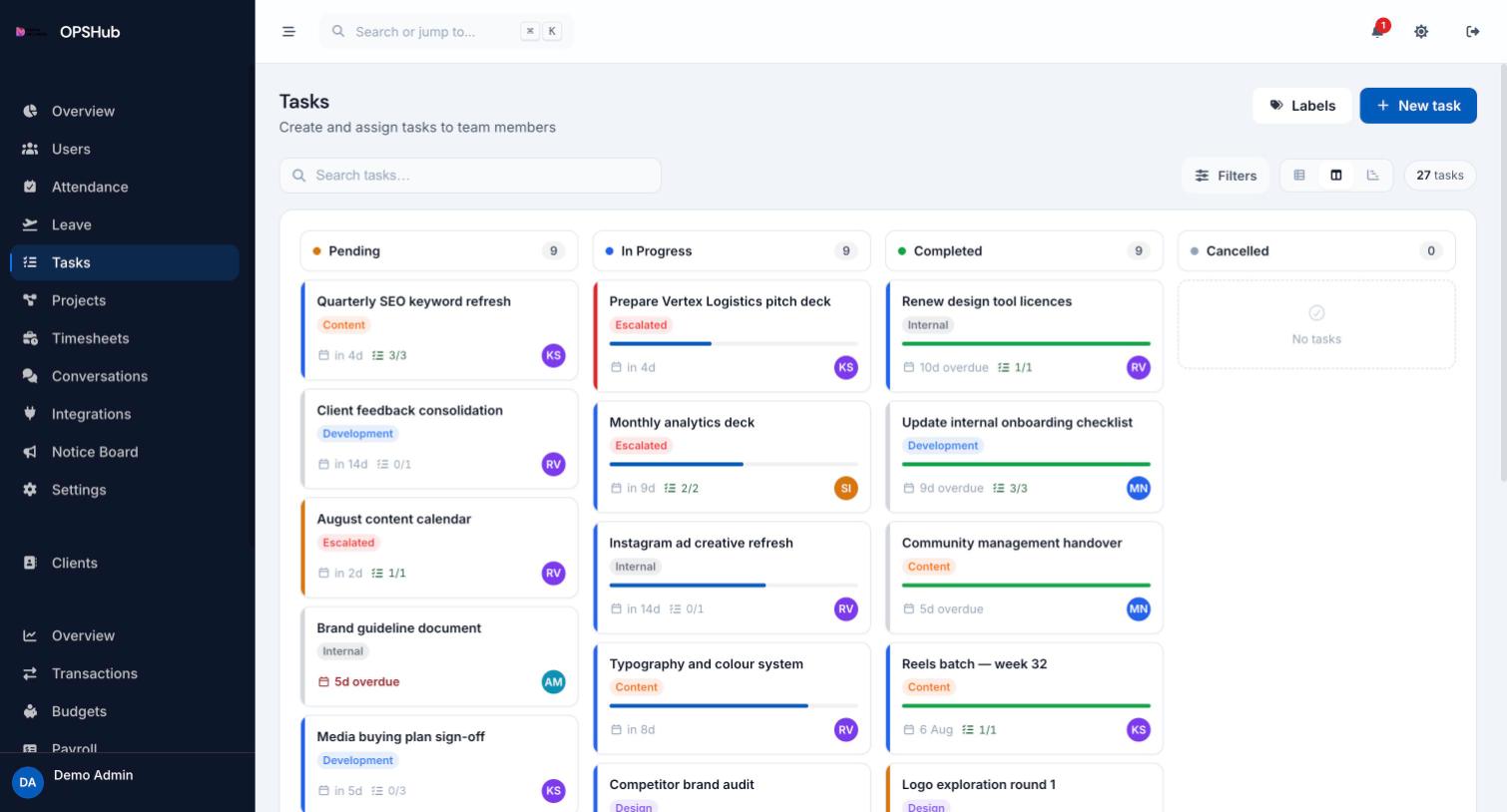
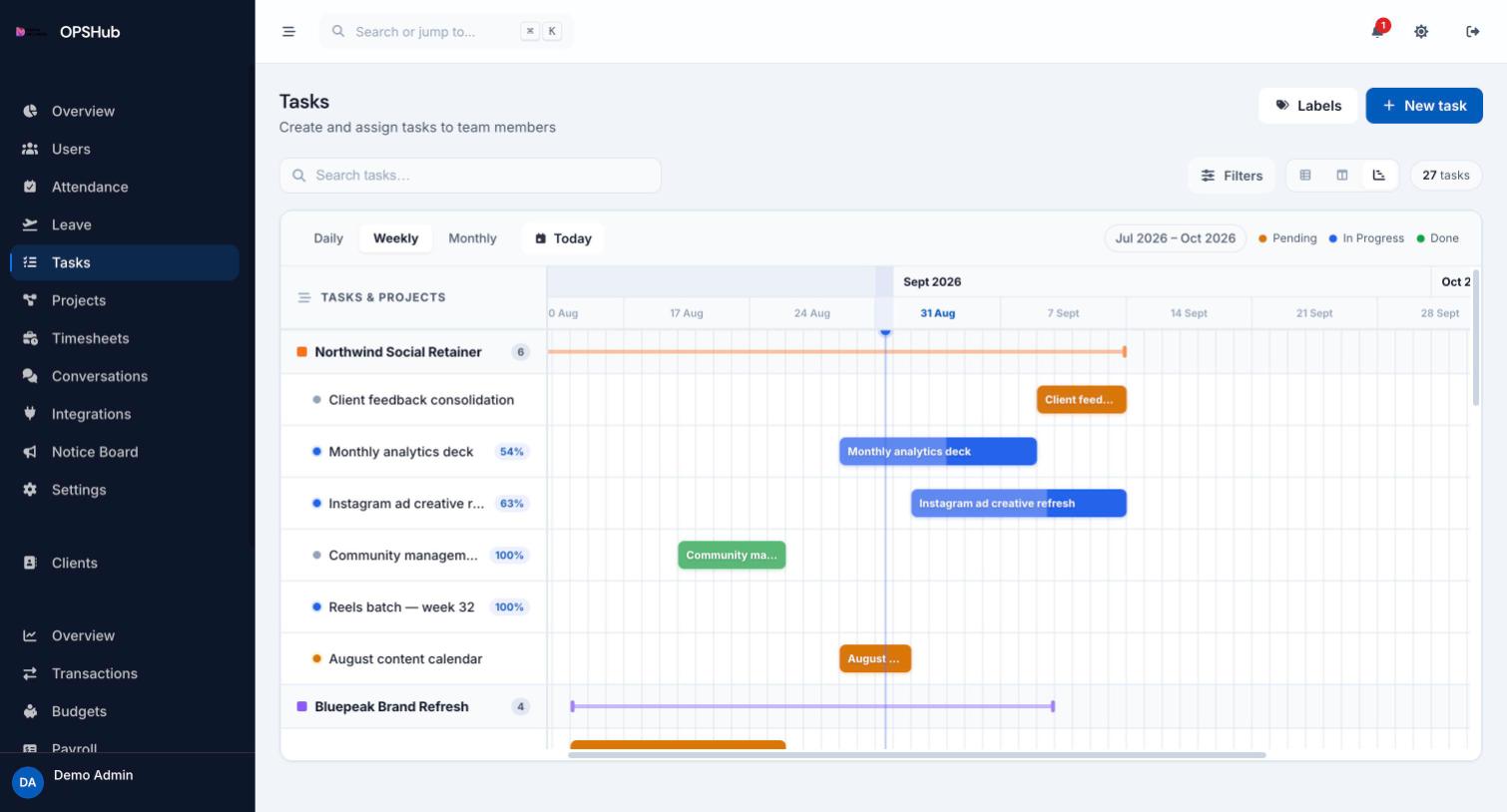
One task list for the whole team, in whichever view suits the work: a list for triage, a board for flow, a Gantt for delivery dates. Time logged on a task rolls into timesheets, so billable hours are a by-product of doing the work rather than a separate chore.
What you get
Every point below is live in OpsHub today. Nothing here is a roadmap item.
- List, board and Gantt views over the same tasks
- Priorities from low to urgent, with overdue clearly flagged
- Subtasks, labels, dependencies and threaded comments on every task
- Assign to any team member and group tasks under a project
- Log time against a task; hours roll up into weekly timesheets
Questions about tasks
Is the Gantt view an extra?
No. List, board and Gantt are three views of the same task data and are included in every plan.
Can employees create their own tasks?
Employees always see and update the tasks assigned to them. Whether they can assign work to others is controlled by a per-workspace permission.
How does time logging work?
You log hours against a specific task. Those entries roll up into the weekly timesheet for the employee, so hours are always attributable to real work.
Works with
OpsHub modules share one workspace and one set of records - these are the ones tasks touches most.
See tasks on your workflow.
Book a demo and we will map it to how your team already works - or open the live demo workspace right now.