
Finance: transactions, budgets and monthly position
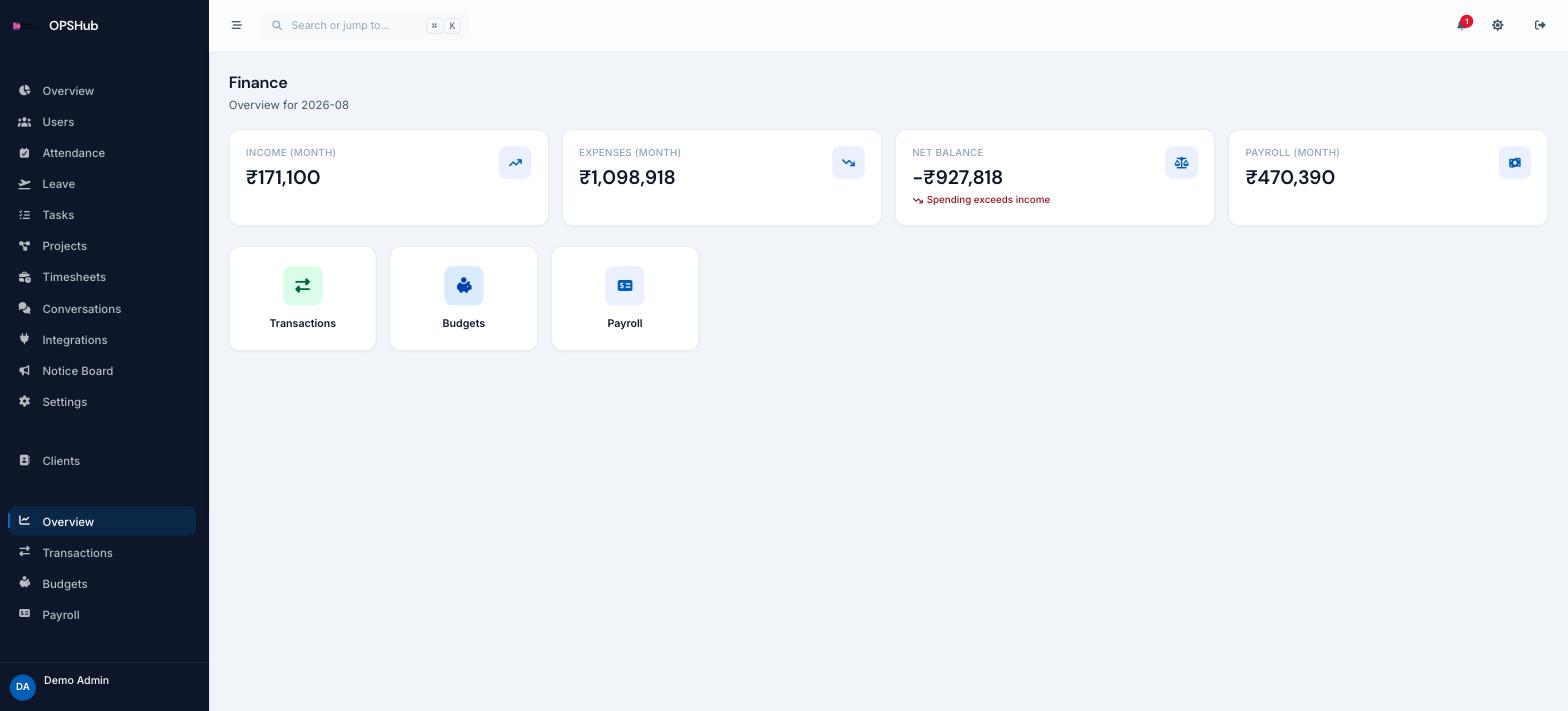
Money is tracked in the same workspace as the work that earned and spent it. Payroll runs post here automatically, so salary is never a number you remember to enter later.
What you get
Every point below is live in OpsHub today. Nothing here is a roadmap item.
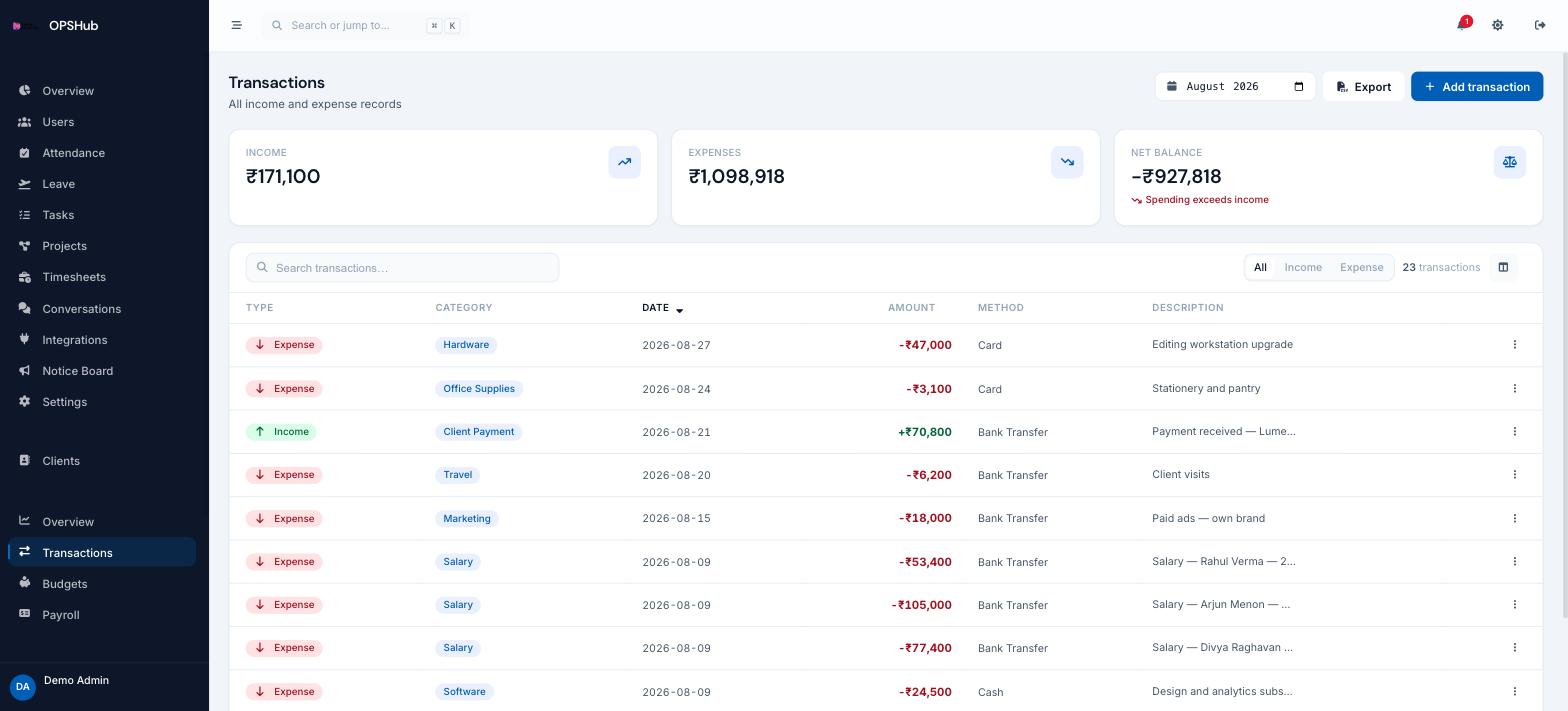
- Income and expense transactions with category, method and description
- Income, expenses and net balance summarised for the selected month
- Budgets to set expectations per category and track against them
- Payroll runs post to transactions automatically
- Monthly CSV export, with finance access controlled per role
Questions about finance
Is this accounting software?
No. It is operational finance tracking - what came in, what went out, against budget. It does not file returns or replace your accountant’s ledger.
Who can see finance?
Access is set by role. Finance is split into overview, transactions, budgets and payroll, so an accountant can see the books without seeing salaries. Employees without a finance role cannot open it.
Do salaries appear here automatically?
Yes. Processing a payroll run creates the matching expense transactions, so the monthly position includes salary without manual entry.
Works with
OpsHub modules share one workspace and one set of records - these are the ones finance touches most.
See finance on your workflow.
Book a demo and we will map it to how your team already works - or open the live demo workspace right now.