
Project tracking for client and internal delivery
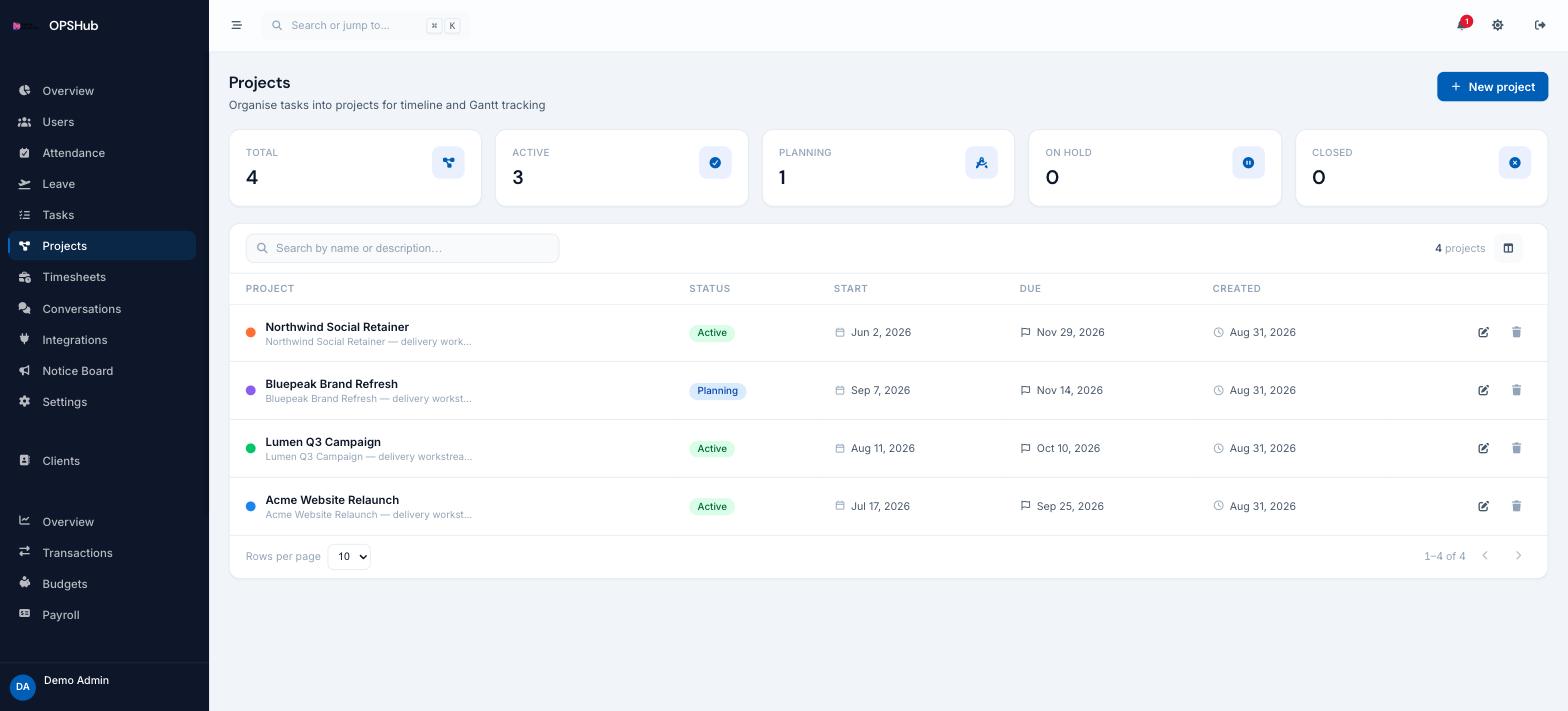
Projects give the task list a spine. Each one carries a status, a start and due date, and a client, so you can answer "where is the Q3 campaign?" without opening six tabs.
What you get
Every point below is live in OpsHub today. Nothing here is a roadmap item.
- Statuses covering planning, active, on hold and closed
- Start and due dates driving the Gantt timeline
- Every project tied to a client record in the CRM
- Tasks grouped under their project across list, board and Gantt
- Counts by status on one dashboard so stalled work is visible
Questions about projects
Do we have to use projects?
No. Tasks work standalone. Projects are there when you want delivery dates, client attribution and a Gantt across a body of work.
Can a project be linked to a client?
Yes. Projects reference a client record in the CRM, so client, project, tasks and invoices all connect.
Is there a limit on projects?
No. Plans are priced on seats, not on the number of projects, clients or tasks.
Works with
OpsHub modules share one workspace and one set of records - these are the ones projects touches most.
See projects on your workflow.
Book a demo and we will map it to how your team already works - or open the live demo workspace right now.